Research-based guide. The credit rules come from Kling’s credits policy and the plan numbers from Kling’s credit planning guide, both checked on 13 November 2026. We did not generate videos for this article. Anything the official pages do not state is marked “not verified”. See our editorial policy and affiliate disclosure.
The short answer
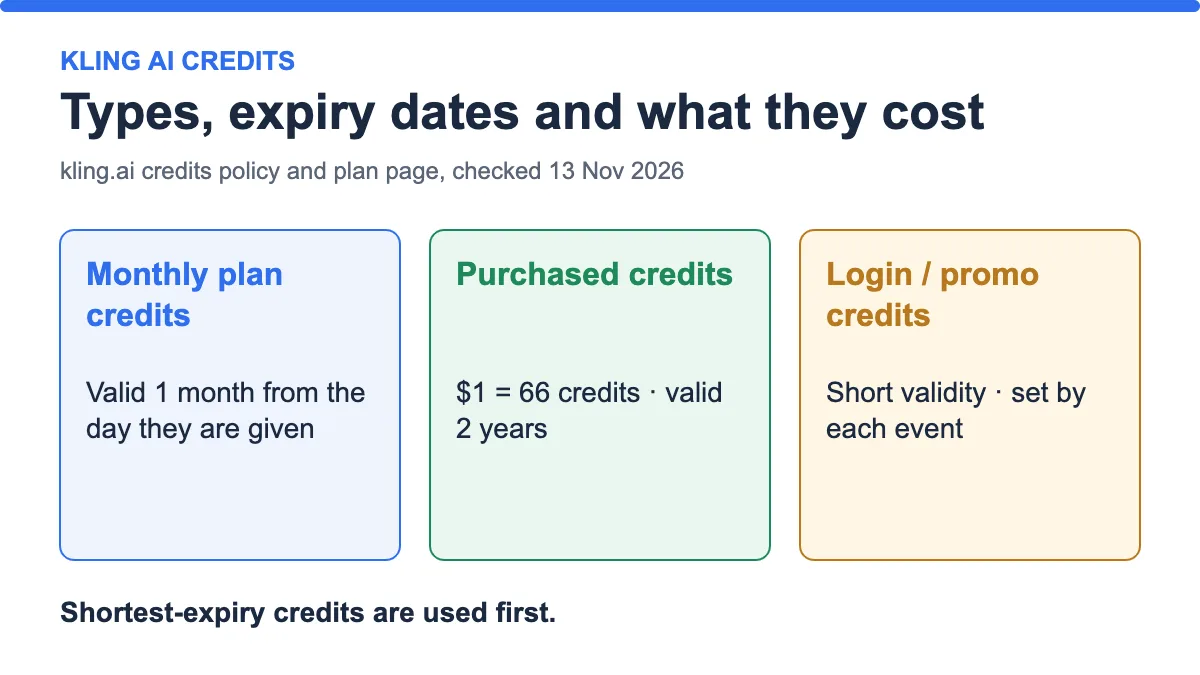
Kling AI credits are not all the same. The ones that come with a subscription are valid for one month. The ones you buy are valid for two years, at $1 for 66 credits. Promotional and login credits last only as long as the event says, and Kling spends the credits that expire soonest first.
Credits are only a currency inside Kling. Its policy says they have no monetary value, cannot be gifted or transferred, and are not refundable for cash. If a generation fails, the credits are refunded to you.
| Credit type | How you get it | How long it lasts |
|---|---|---|
| Subscription credits | Given monthly while your plan is active | 1 month from the day they are given |
| 7-day membership credits | Given when a membership starts | 7 days |
| Login credits | Subscribers can claim daily during an event | Issued on first login each day, reset at 24:00 |
| Promotional credits | Platform promotions | Per the event notice |
| Purchased credits | $1 = 66 credits at standard pricing | 2 years from the day they are given |
Source: kling.ai/docs/point-policy, checked 13 Nov 2026. Kling says validity periods and rules can change.

Which credits does Kling spend first?
The policy says usage order follows each credit’s validity period: credits with a shorter validity are used first. In practice that usually means promotional and login credits go first, then your monthly plan credits, then credits you bought.

Here is an illustration with made-up balances. You have 100 promotional credits, 660 monthly credits and 1,000 purchased credits, and you run a generation that costs 700 credits. Kling takes the 100 promotional credits first, then 600 of the monthly credits. Your purchased balance stays at 1,000. The key point is that your monthly credits expire in a month, so it is smart to use them before buying more.
The policy does not say how credits with identical expiry dates are ordered, so check your credit details in the account if you need to know exactly which balance a job used.
Kling credits and plans compared
These numbers come from Kling’s own plan table. “First month” is a first-subscription discount. “Renewal” is the price from the second month, and Kling’s “as low as” per-credit figures are based on it.
| Plan | First month | Renewal | Monthly credits | 720p videos listed | Per 100 credits (renewal) |
|---|---|---|---|---|---|
| Basic | $0 | $0 | None | Not listed | Not listed |
| Standard | $6.99 | $8.80 | 660 | 33 | $1.33 |
| Pro | $25.99 | $32.56 | 3,000 | 150 | $1.09 |
| Premier | $64.99 | $80.96 | 8,000 | 400 | $1.01 |
| Ultra | $127.99 | $159.99 | 26,000 | 1,300 | $0.62 |
Source: Kling credit planning guide, checked 13 Nov 2026. The page also shows list prices of $10, $37, $92 and $180 a month. Kling can change prices and credits.
Basic is free forever, but it has no monthly credits and its generated content is not for commercial use. The paid plans add fast-track generation, 1080p, image upscaling, brand watermark removal and video extension, and they list commercial use. For the full plan comparison, read our Kling AI review.

Divide the credits by the videos and you get 20 credits per 720p video (660 ÷ 33 = 20, 3,000 ÷ 150 = 20). The page does not state the clip length behind that figure, so treat “20 credits” as Kling’s planning number, not a guaranteed price. The live generation panel shows the real cost.
What a credit costs: subscription vs buying
Subscription credits get cheaper as you move up. Purchased credits are the same price whatever plan you have: $1 for 66 credits, or about $1.52 per 100.

The maths is plan price ÷ monthly credits × 100. For Standard at the renewal price, $8.80 ÷ 660 × 100 = $1.33. Bought credits at $1.52 per 100 cost about 14% more than Standard’s renewal rate, about 40% more than Pro’s, and roughly two and a half times Ultra’s. They are the most expensive way to get credits, but they last two years and survive after a subscription ends.
Kling confirms that promotional and purchased credits are not affected when your membership status changes. Subscription credits stay valid only for one month from the day they were issued.
What credits buy: 4K example
Kling’s guide lists native 4K output for the Kling VIDEO 3.0 series at 30 credits per second, and says clips run from 3 to 15 seconds. Kling tells you to confirm this in the live generation panel, because product rules can change. Using that figure:
| Plan | Credits | Seconds of 4K | Cost per 4K second (renewal) |
|---|---|---|---|
| Standard | 660 | 22 s | $0.40 |
| Pro | 3,000 | 100 s | $0.33 |
| Premier | 8,000 | 266 s | $0.30 |
| Ultra | 26,000 | 866 s | $0.18 |
| Purchased credits | 66 per $1 | 2.2 s per $1 | $0.45 |
A 15-second 4K clip is 450 credits. That alone is more than two thirds of a Standard month. We did not verify whether 4K is open to every plan, so check access before you plan around it.
Worked scenarios
Scenario 1: you try Kling for a month
You subscribe to Standard at the first-month price of $6.99 and get 660 credits. That is about 33 videos at Kling’s 20-credit planning figure. Unused credits expire after one month, so spend them. From month two the price is $8.80.
Scenario 2: you ran out of credits mid-month
Buying $10 of credits gives about 660 credits (10 × 66), the same as a Standard month. Those credits last two years, so any you do not use carry on. But the same 660 credits cost $8.80 on a Standard subscription, so a plan is cheaper if you will use them every month.
Scenario 3: you do occasional heavy projects
If you only generate a lot every few months, the subscription’s one-month expiry works against you. Buying credits as needed costs more per credit, but nothing expires for two years. Compare the cost of the months you would pay for and not use.
Mistakes to avoid
- Assuming all credits last the same time. Monthly credits expire in one month; purchased ones last two years.
- Buying credits while you still have monthly credits that will expire.
- Reading “as low as” prices as what you pay in month one. They use the renewal price.
- Planning around 4K or 1080p without checking whether your plan includes it.
- Expecting a refund for purchased credits. The policy says they are non-refundable and cannot be cashed out.
Pre-purchase checklist
- Open the Kling membership page and note this month’s first-month and renewal prices.
- Run one short test generation and note the live credit cost.
- Multiply by the tries you need per finished clip.
- Compare monthly credits with the total, and decide between a plan and bought credits.
- Set a reminder for the credit expiry date and for the renewal price.
- Review your usage after the first month before you pick a bigger plan.
Frequently asked questions
Do Kling AI credits expire?
Yes. Subscription credits are valid for one month from the day they are given. Purchased credits are valid for two years. Promotional credits follow the event notice, and login credits reset at 24:00.
How much do Kling credits cost?
At standard pricing, $1 buys 66 credits, or about $1.52 per 100. Subscription credits are cheaper per credit: from about $1.33 per 100 on Standard to $0.62 on Ultra at renewal prices.
Which Kling credits are used first?
Credits with the shorter validity period are used first, so promotional and login credits, then monthly credits, then purchased ones.
Do Kling credits roll over?
Subscription credits do not roll over; they are valid for one month. Purchased credits stay valid for two years from the day they are given.
Does Kling refund credits for a failed video?
Yes. The policy says credits are refunded if a generation fails.
Can I transfer or gift Kling credits?
No. The policy says credits cannot be transferred or gifted between users, accounts or spaces, and they cannot be cashed out.
Does the free Basic plan include credits?
Kling’s plan table lists no monthly credits on Basic and says its content is not for commercial use.
How many videos can I make with Kling credits?
Kling’s plan table lists 33 720p videos for 660 credits, which works out to 20 credits each. The real cost depends on the model, resolution and duration shown when you generate.
Bottom line
The most important Kling credit rule is expiry. Monthly credits disappear after a month, bought credits last two years, and the shortest-lived credits are spent first. Use subscription credits for steady monthly work, buy credits only for spikes, and check the live cost before each big job. For pricing context across tools, see how AI video credits and plans work, and for the choice between modes, text-to-video or image-to-video.
Last updated: 13 November 2026.
Sources
- Kling AI Credits Policy, checked 13 November 2026.
- Kling AI Credit Planning: 4K Video & Multi-Shot Budget Guide, checked 13 November 2026.