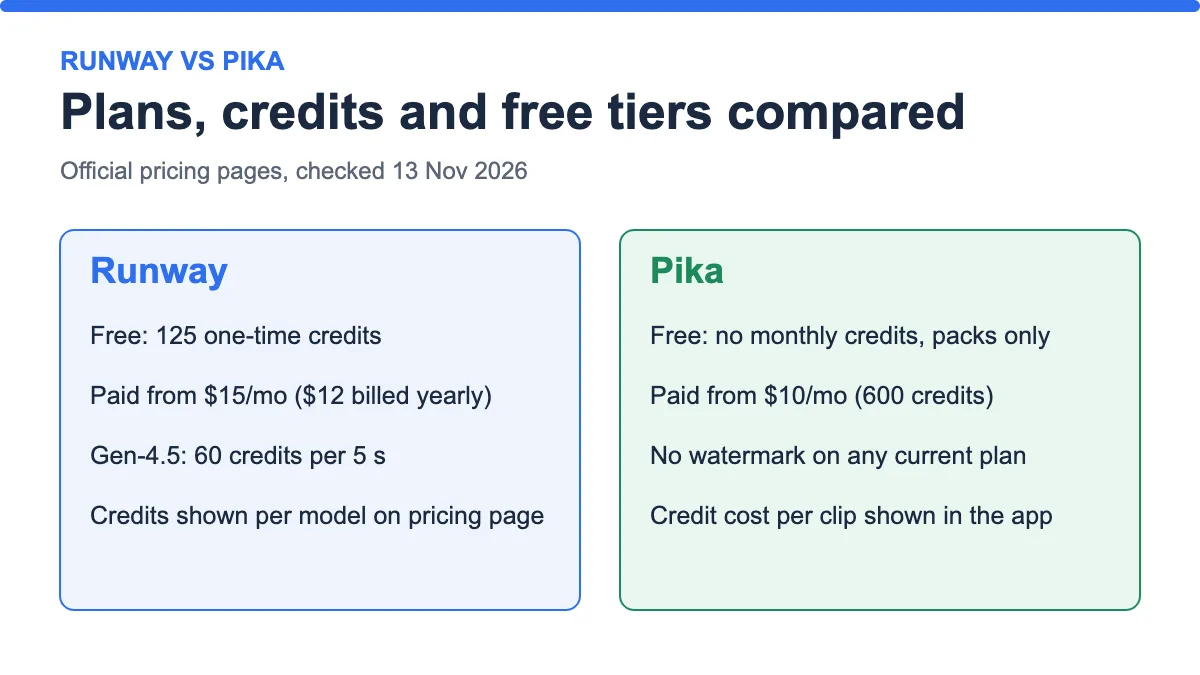
Research-based comparison. Plan facts come from Runway’s pricing page, Pika’s pricing page and Pika’s FAQ, all checked on 13 November 2026. We did not generate videos with either tool for this article, so we make no claim about which one looks better. Where a fact is not on an official page, we write “not verified”. See our editorial policy and affiliate disclosure.
The short answer
Runway vs Pika comes down to what you need from the plan, not which model is “better”. Pika’s paid plans start cheaper ($10 a month for 600 credits, no watermark, commercial licence). Runway starts at $15 a month ($12 if billed yearly), but it gives new users 125 free credits and puts several video models in one account, including its own Gen-4.5 and a third-party model, Kling 4.0.
We cannot honestly tell you which tool produces better clips, because we did not test them and the credit systems are not comparable. What we can do is compare what each plan includes and what a clip costs where the cost is published.
| If you… | Lean toward | Why |
|---|---|---|
| Want to try a tool for free first | Runway | Free plan has 125 one-time credits; Pika Free has no monthly credits |
| Want the lowest monthly price | Pika | Starter is $10/mo vs Runway Standard $15/mo |
| Want several video models in one account | Runway | Lists Gen-4.5, Aleph 2.0, Kling 4.0, Seedance 2.0 Pro and more |
| Need a commercial licence on a small budget | Pika Starter | Pika lists a commercial licence from $10/mo; Runway’s page does not state licence terms (not verified) |
Runway vs Pika: plan facts side by side
Prices are for monthly billing unless noted. Runway also offers yearly billing at 20% off.
| Runway | Pika | |
|---|---|---|
| Free plan | 125 one-time credits, do not expire | No monthly credits; buy credit packs |
| Entry paid plan | Standard: $15/mo ($12/mo billed yearly), 625 credits | Starter: $10/mo, 600 credits |
| Middle plan | Pro: $35/mo ($28/mo yearly), 2,250 credits | Creator: $35/mo, 2,600 credits |
| Top individual plan | Max: $95/mo ($76/mo yearly), 9,500 credits | Fancy: $95/mo, 8,550 credits |
| Parallel generations | 5 / 15 / 20 videos and images (Standard / Pro / Max) | 2 video / 8 video / unlimited (Starter / Creator / Fancy) |
| Watermark | “No watermarks” listed on Standard; Free plan not stated (not verified) | No watermark on current plans, including Free |
| Commercial licence | Not stated on the pricing page (not verified) | Paid plans only (Starter, Creator, Fancy) |
| Unused credits | Standard and Pro reset monthly; Max rolls over up to 1 month; purchased credits never expire | Monthly credits do not carry over; top-up packs expire after 365 days |
Sources: runway.com/pricing and pika.art/pricing and /faq, checked 13 Nov 2026.

The price ladder looks almost identical at the top: both tools charge $95 a month for their biggest individual plan. The difference is in the entry and middle tiers, and in what a credit buys.
Runway
- Best for: people who want to try several video models in one place and prefer a free starting balance.
- Price and free plan: Free gives 125 one-time credits. Paid plans are Standard $15, Pro $35 and Max $95 per month, or $12, $28 and $76 with yearly billing.
- What you get: access to all AI video and image models, parallel generations (5, 15 or 20), 4K upscaling, music, voice and sound effects generation, and extras such as Runway Ads and App Studio.
- Pros: the pricing page publishes credit costs per model, so you can calculate cost per clip before you pay; credits you buy on top never expire.
- Cons: Standard and Pro credits reset monthly; only Max rolls over one month; licence terms are not on the pricing page.
Verdict: The published credit table is Runway’s strongest point. It lets you plan before spending. Check the terms of use for commercial rights, because the pricing page does not cover them.
What a Runway clip costs
Runway lists Gen-4.5 at 60 credits per 5 seconds. That is 12 credits per second. The table below divides that by each plan’s credits.
| Plan | Price | Credits | Gen-4.5 seconds per month | Cost of one 5 s clip |
|---|---|---|---|---|
| Standard | $15/mo ($12 yearly) | 625 | 52 s | $1.44 ($1.15 yearly) |
| Pro | $35/mo ($28 yearly) | 2,250 | 187 s | $0.93 ($0.75 yearly) |
| Max | $95/mo ($76 yearly) | 9,500 | 791 s | $0.60 ($0.48 yearly) |

The maths: cost of one clip = 60 ÷ plan credits × plan price. For Standard on monthly billing, 60 ÷ 625 × $15 = $1.44. The seconds-per-month numbers match what Runway prints on its own page (52 s, 187 s and 791 s).
Other models cost different amounts. Runway’s table lists Kling 4.0 (1080p) at 118 credits per 5 seconds, with a 25% discount shown until 30 November that brings it to 89. Because that offer ends on a fixed date, check the page before relying on it.
Pika
- Best for: low-volume creators who want a cheap entry plan with a commercial licence.
- Price and free plan: Free has no monthly credits (credit packs only). Starter is $10, Creator $35 and Fancy $95 per month.
- What you get: all models on every plan, no watermark, parallel jobs (2 video on Starter, 8 on Creator, unlimited on Fancy), and a priority queue only on Fancy.
- Pros: lowest entry price of the two; downloads carry no watermark even on Free; top-up packs last 365 days.
- Cons: no fixed credit cost per clip is published, so you cannot calculate a clip price in advance; the Free plan has no monthly credits and no commercial use.
Verdict: Pika is the cheaper way in and the clearer one on licensing. The trade-off is that you only see the credit cost inside the app. Our guide to Pika AI free plan limits explains the rules in full.
Free plans compared

At 60 credits per 5-second Gen-4.5 clip, Runway’s 125 free credits cover two clips (120 credits) with 5 credits left. That is a small trial, but it is a real one. Pika’s Free plan lets you start without a subscription, but you pay for credits from the first clip.
A note on watermarks: Pika states that downloads on current plans have none. Runway lists “No watermarks” on its Standard card, but its page does not say what the Free plan does. Treat that as unverified until you check the terms, and read our guide to free AI video generators without a watermark for how we check watermark claims.
Worked scenarios
Scenario 1: you want to test before paying anything
Use Runway Free. You get two 5-second Gen-4.5 clips for $0, then decide. With Pika you would buy a pack first. Pack prices are shown only inside the app, so we mark them “not verified”.
Scenario 2: you post short clips on a $10–15 budget
Compare Pika Starter ($10) with Runway Standard ($15, or $12 billed yearly). Pika is cheaper and includes a commercial licence. Runway gives you more models to try and a printed cost per clip. If you only make about 12 clips a month, run a test clip on Pika first to see its credit cost, then decide.
Scenario 3: you generate several clips a week
Runway Pro at $35 gives about 37 five-second Gen-4.5 clips a month (2,250 ÷ 60 = 37.5). Pika Creator at $35 gives 2,600 credits, but how many clips that means depends on the cost the app shows. Run one test clip and divide 2,600 by the credit cost to compare like for like.

Mistakes to avoid
- Comparing credit counts directly. 600 Pika credits and 625 Runway credits do not buy the same thing.
- Trusting a comparison with old prices. Some guides still list Pika’s entry plan at about $8 a month. Pika’s own page shows $10 on 13 Nov 2026.
- Assuming “no watermark” means commercial rights. Check the licence for each plan.
- Buying yearly billing before you have tested a month.
- Forgetting that monthly credits reset, so a big month followed by a quiet one wastes money.
Pre-purchase checklist
- Open both pricing pages and note today’s prices and credits.
- Decide whether you will use clips commercially, and read each tool’s terms for that.
- Use Runway’s free 125 credits for one test clip.
- Check the credit estimate Pika shows before you generate.
- Divide plan credits by cost per clip to get clips per month.
- Choose monthly billing first; move to yearly only after a full month of use.
Frequently asked questions
Is Runway better than Pika?
We did not test output quality, so we cannot say. On plans, Runway offers free starting credits and several models, while Pika has the lower entry price and a clear commercial-licence line.
Which is cheaper, Runway or Pika?
Pika Starter is $10 a month against $15 for Runway Standard ($12 if billed yearly). At the top, both charge $95 a month for their largest individual plan.
Does Runway have a free plan?
Yes. Runway’s pricing page lists 125 one-time credits that do not expire, plus 5 GB of storage.
Does Pika have a free plan?
Pika’s Free plan has no monthly credits. You buy credit packs without a subscription. Downloads have no watermark, but the Free plan has no commercial use.
Do Runway credits roll over?
On Standard and Pro, monthly credits do not roll over. On Max, up to one month of unused credits rolls over. Credits you buy separately never expire.
Can I use Runway or Pika videos commercially?
Pika says paid plans include a commercial licence and Free does not. Runway’s pricing page does not state this, so read its terms before commercial use.
How much does one Runway clip cost?
For Gen-4.5, 60 credits per 5 seconds. On Standard billed monthly that is about $1.44, and about $0.48 on Max billed yearly.
Can I use Kling inside Runway?
Runway’s pricing page lists Kling 4.0 among its models. For Kling itself, see our Kling AI review.
Bottom line
Choose Runway if you want free starting credits, several models and published credit costs. Choose Pika if the lowest monthly price and a clear commercial licence matter most. Whichever you pick, test one clip first, because the number of clips your credits buy is what really sets your cost. Plans change, so confirm the figures on the official pages before you pay.
Last updated: 13 November 2026.
Sources
- Runway pricing page, checked 13 November 2026.
- Pika pricing page, checked 13 November 2026.
- Pika FAQ, checked 13 November 2026.